Dynetic Motor Dynetic Motor

DC BLDC Motor LCD Speed Controller PWM Controller 12V 24V Adjustable PWM Motor Speed Regulator 12V 24V

Product Description

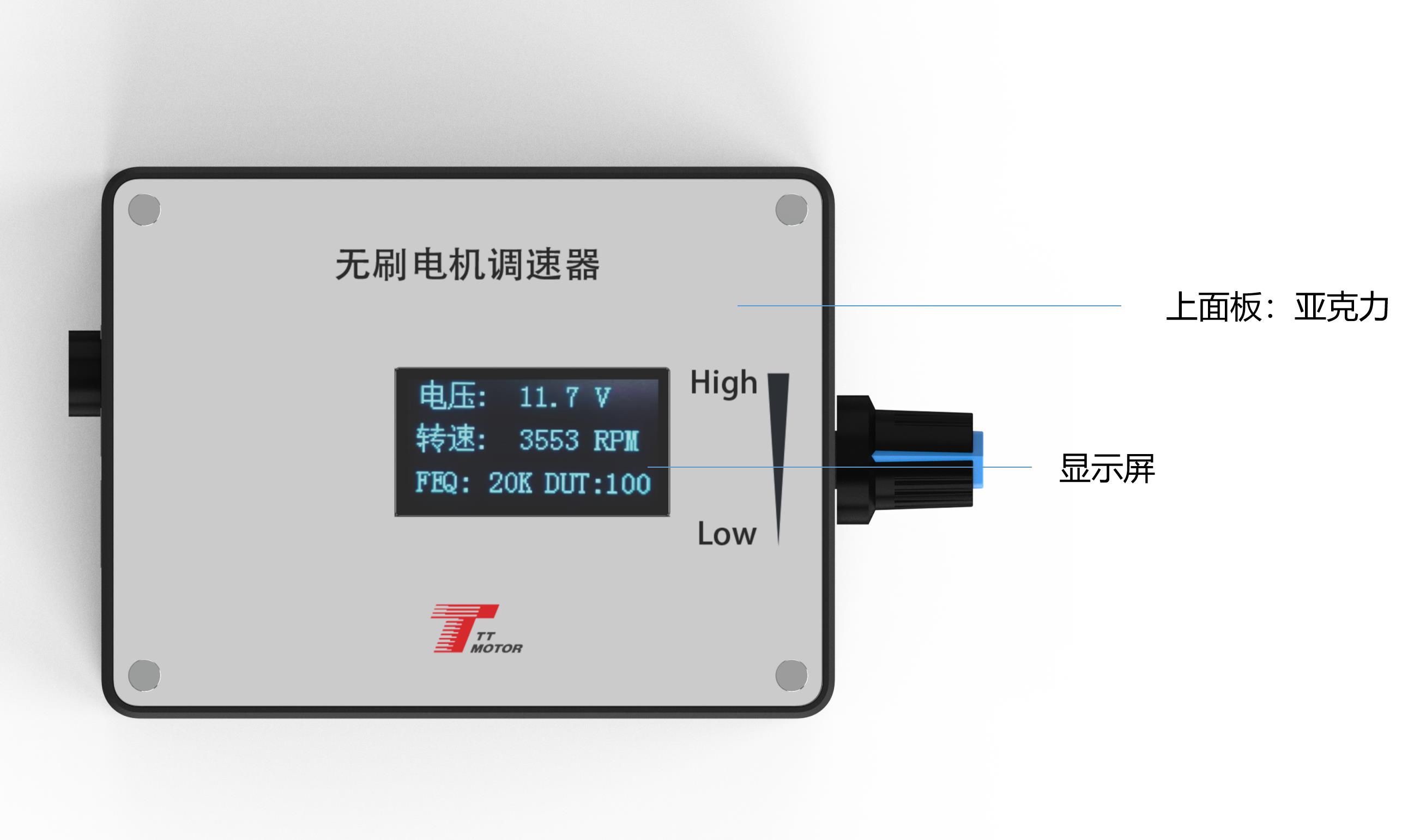
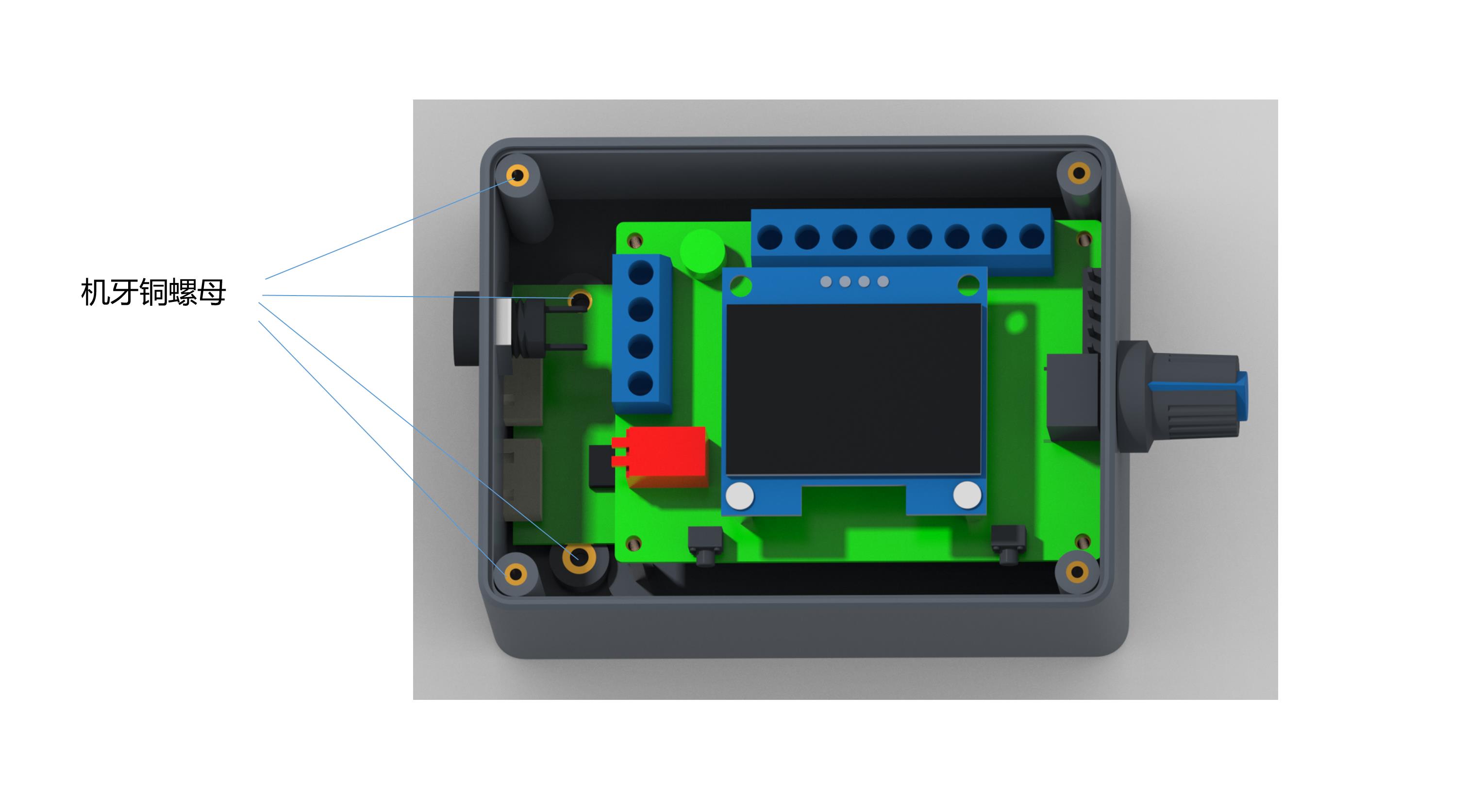
Governor Panel Layout

📊 Electrical Performance Specifications

  • Voltage Range DC 5V - 28V
  • Rated Current MAX 2A (For higher current, connect power line directly)
  • PWM Output Frequency 0 ~ 100KHz
  • Analog Voltage Output 0 - 5V
  • Working Temperature -10°C ~ 70°C
  • Storage Temperature -30°C ~ 125°C
  • Driver Board Size 60mm x 40mm

🔌 Wiring & Internal Functions

Governor, motor power supply positive input.

Governor, motor power input negative.

The positive output of the power supply of the motor.

Negative output of the power supply of the motor.

High and low level output of positive/reverse rotation control. High: 5V, Low: 0V. Controlled by touch switch 2 (F/R), default is high level.

High and low level output of brake control. High: 5V, Low: 0V. Controlled by touch switch 1 (BRA), power on default high level.

Analog voltage output (0~5V). Suitable for motors accepting analog voltage speed regulation.

PWM1 reverse output. Suitable for motors accepting PWM speed regulation (speed is inversely proportional to duty cycle).

PWM2 forward output. Suitable for motors accepting PWM speed regulation (speed is proportional to duty cycle).

⑤-⑨

The output signal changes of the three interfaces are adjusted by the potentiometer.

Motor feedback signal input.

Feedback Configuration (FG/FG*3): Jumper cap placement depends on actual motor feedback times. No jumper cap is single times FG; adding the jumper cap enables 3 times FG*3. The same rule applies to CW/CCW direction configurations.

⚙️ Governor Parameter Settings

1

Frequency Setting

Press and hold touch switch 1 before powering on. Connect power to the board and release the switch when the screen displays "FEQ:20K". Touch switch 1 to decrease, and touch switch 2 to increase the frequency. Adjustable to specified frequency (factory default: 20KHz).

2

Poles Number Setting

Press and hold touch switch 1 and 2 simultaneously before powering on. Connect power and release switches when the screen shows "number of poles: 1 polarity". Touch switch 1 to decrease, and touch switch 2 to increase. Configure to match your motor design (factory default: 1 pole).

3

Feedback Setting

Refer to FG/FG*3 pin setup. Set according to whether the feedback multiplier of the motor is single FG or three times FG. Add jumper cap for 3 times FG; remove jumper cap for single FG.

4

Direction Setting

Refer to CW/CCW pin setup for initial state direction. Configure depending on whether the motor runs CW or CCW when the direction line is suspended. CCW requires the skip cap added; CW requires no skip cap.
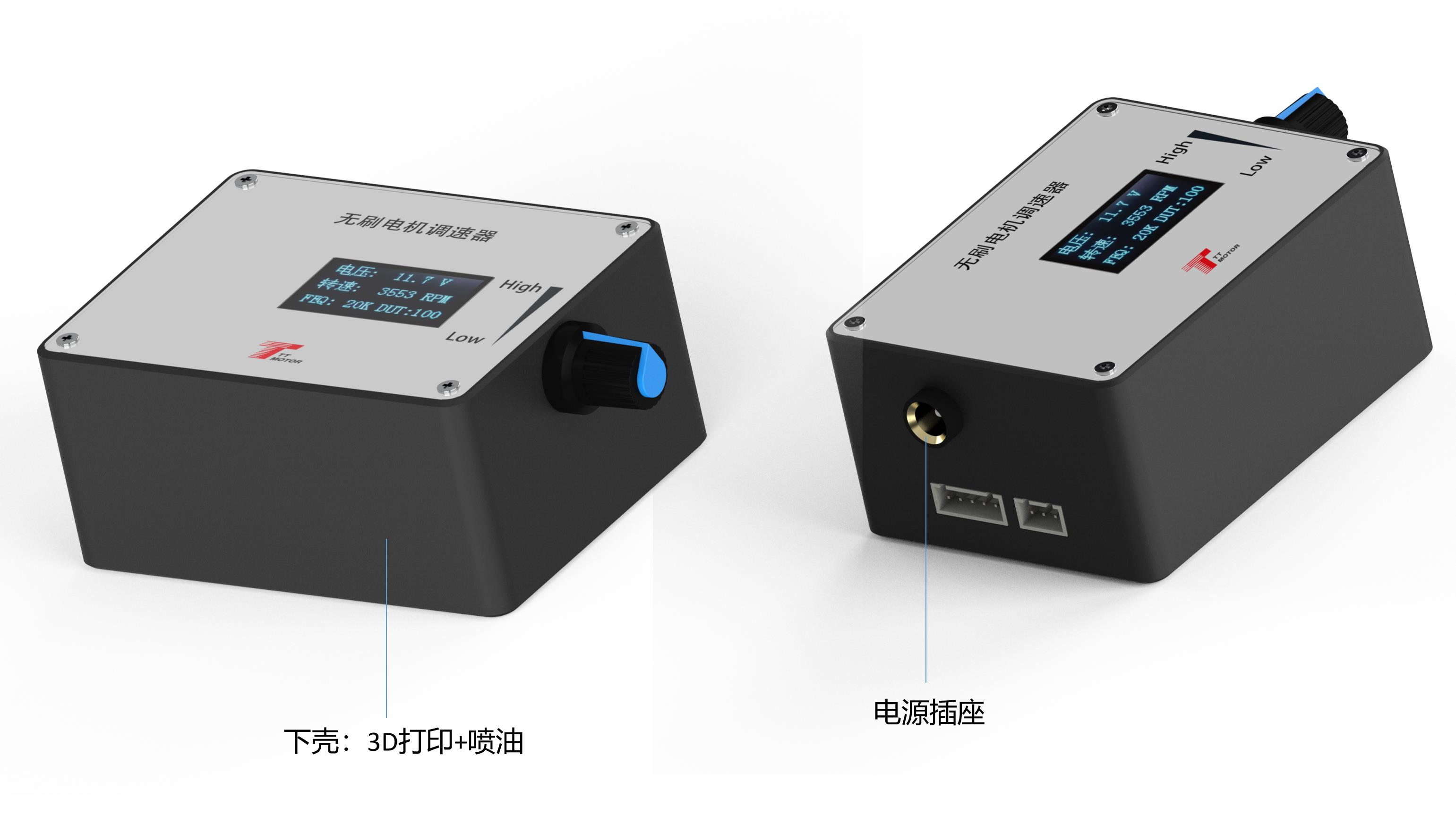
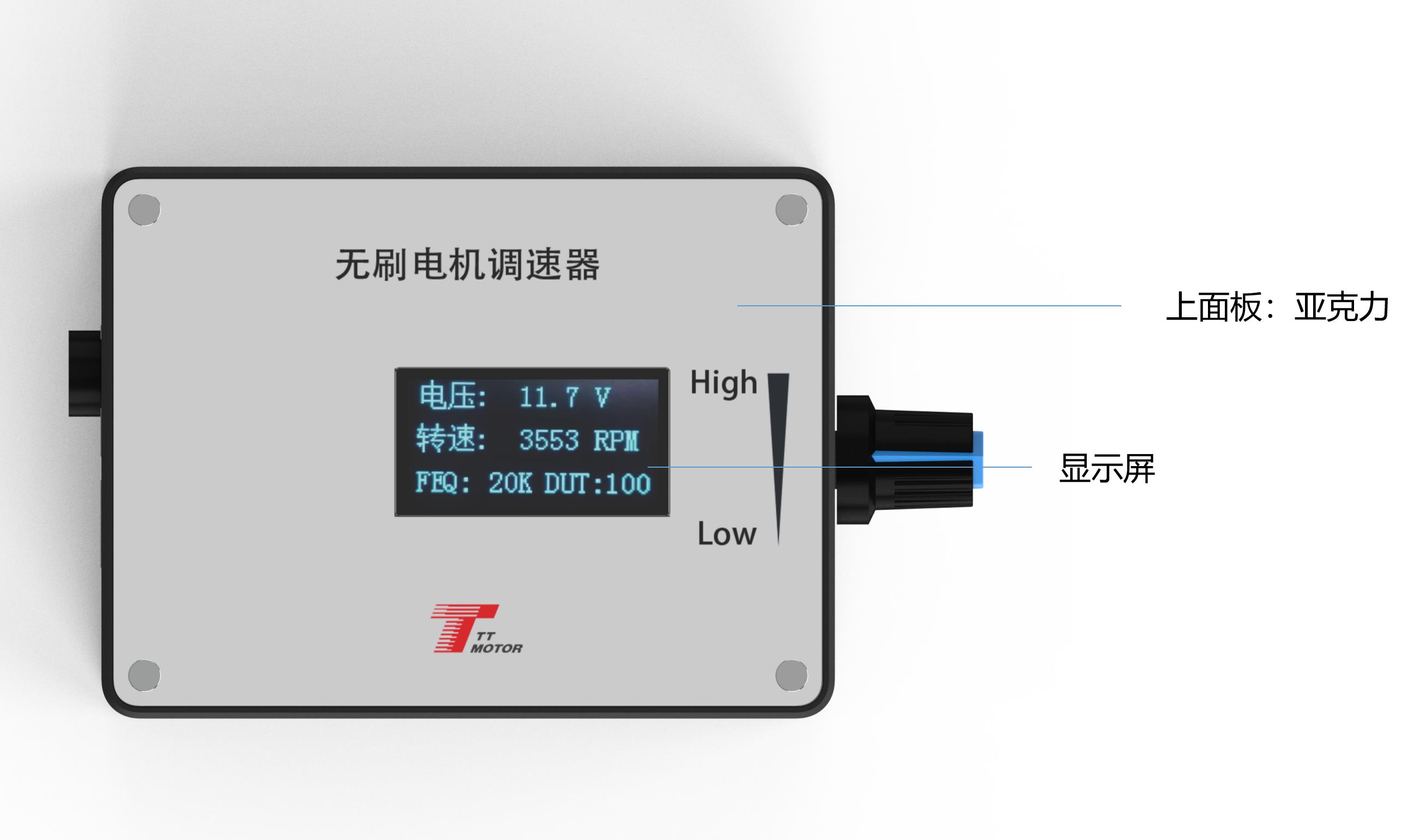
Main Interface Screen: The display mainly monitors input voltage, speed, frequency, and duty cycle. For correct speed display, FG/FG*3 feedback and motor pole settings must be set properly.

⚠️ Important Precautions

  • 🚨
    Connection Polarity: Power input terminals must be wired correctly. Never reverse positive and negative connections; doing so will damage or burn out the governor.
  • 🔧
    Interface Compatibility: Ensure your motor matches the specified control interface options described above.
  • Voltage Limitation: Do not apply a voltage higher than 5V to the control ports (⑤ through ⑨).

💬 Frequently Asked Questions (FAQ)

Q1: What should I do if my motor requires more than 2A of current?
A1: The governor is rated for a maximum of 2A. To control a motor demanding higher current, connect the motor's power lines directly to the main power supply rather than through the governor interface.
Q2: How do I change the default frequency setting?
A2: Hold touch switch 1 down prior to power-on, turn the power on, release it when the screen displays "FEQ:20K", and adjust using switch 1 (to reduce) or switch 2 (to increase).
Q3: How do I set the correct motor pole configuration?
A3: Hold both touch switches 1 and 2 before powering on. Connect power, release the switches when "number of poles: 1 polarity" displays, and adjust the poles value using switch 1 and 2 to match your motor's hardware configuration.
Q4: What happens if I reverse the input power supply polarities?
A4: Reversing the positive and negative connections will cause the governor to fail immediately and will burn out the inner electronic circuitry. Always double-check wire alignments.
Q5: Can I input more than 5V signals to the control ports?
A5: No, the five signal ports (⑤-⑨) must never exceed a 5V input threshold to avoid damaging the internal microcontroller logic gates.

Related Products